...

Improve the Readability of Your Script with Polisher. 
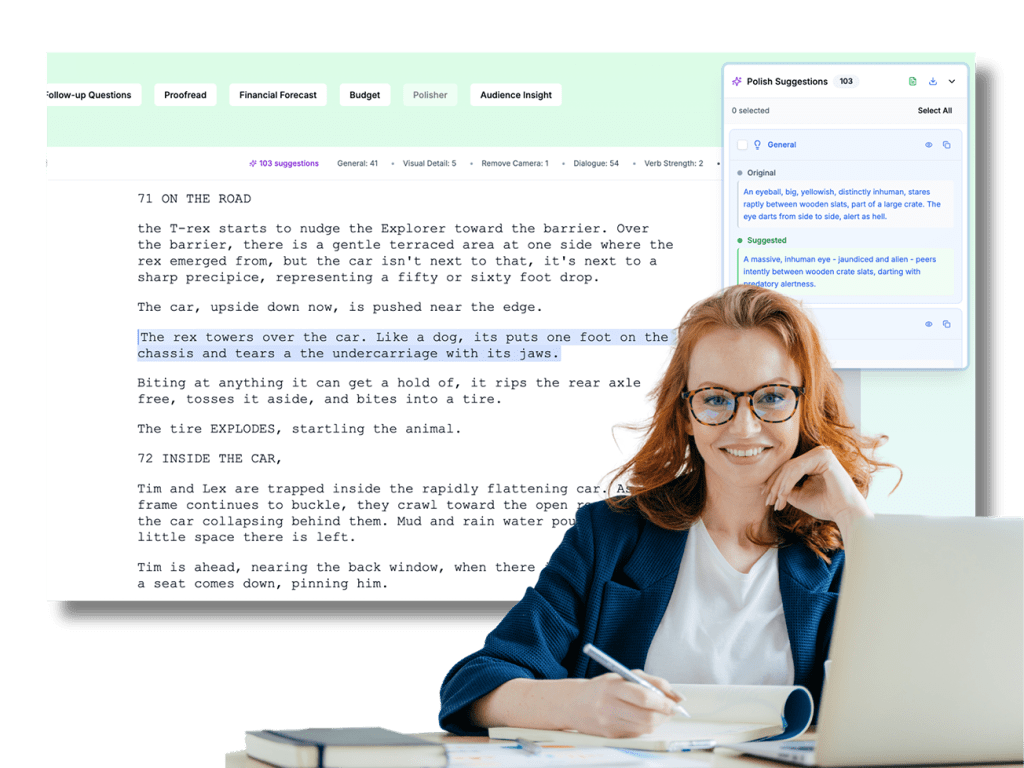
Greenlight Coverage "Polisher" tool interface. The screen shows a screenplay for "Jurassic Park" with a paragraph highlighted in blue. To the right, a sidebar labeled "Polish Suggestions" displays an original description of a dinosaur's eye next to a "Suggested" rewrite that uses more evocative, cinematic language. A smiling woman in a blue blazer and glasses is overlaid on the right, writing in a notebook while looking at the screen.

Sharpen action lines and dialogue – making your writing clearer, tighter, and more impactful, line by line.

Improve the Readability of Your Script with Polisher. 

Sharpen action lines and dialogue – making your writing clearer, tighter, and more impactful, line by line.

Greenlight Coverage "Polisher" tool interface. The screen shows a screenplay for "Jurassic Park" with a paragraph highlighted in blue. To the right, a sidebar labeled "Polish Suggestions" displays an original description of a dinosaur's eye next to a "Suggested" rewrite that uses more evocative, cinematic language. A smiling woman in a blue blazer and glasses is overlaid on the right, writing in a notebook while looking at the screen.

What Is Polisher?

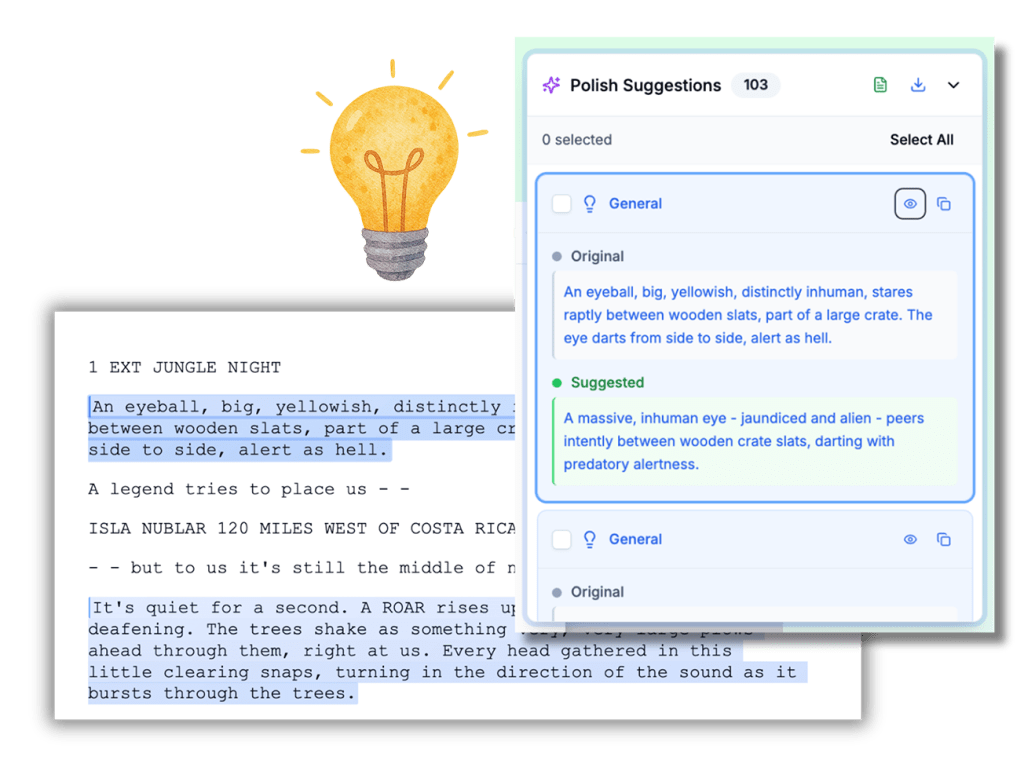
An interface overlay titled "Polish Suggestions" showing a side-by-side comparison of original screenplay text and an AI-enhanced suggestion. The "Original" text describes a large eye looking through a crate, while the "Suggested" text offers a more descriptive, predatory version.

Polisher analyzes your screenplay and pinpoints action lines and dialogue that could be articulated more effectively. Whether a line is overwritten, unclear, repetitive, or just not landing the way you intend, Polisher flags it – and suggests a stronger alternative.

Just smarter, cleaner ways to say what you’re already trying to say.

An interface overlay titled "Polish Suggestions" showing a side-by-side comparison of original screenplay text and an AI-enhanced suggestion. The "Original" text describes a large eye looking through a crate, while the "Suggested" text offers a more descriptive, predatory version.

What Is Polisher?

Polisher analyzes your screenplay and pinpoints action lines and dialogue that could be articulated more effectively. Whether a line is overwritten, unclear, repetitive, or just not landing the way you intend, Polisher flags it – and suggests a stronger alternative.

Just smarter, cleaner ways to say what you’re already trying to say.

How It Works
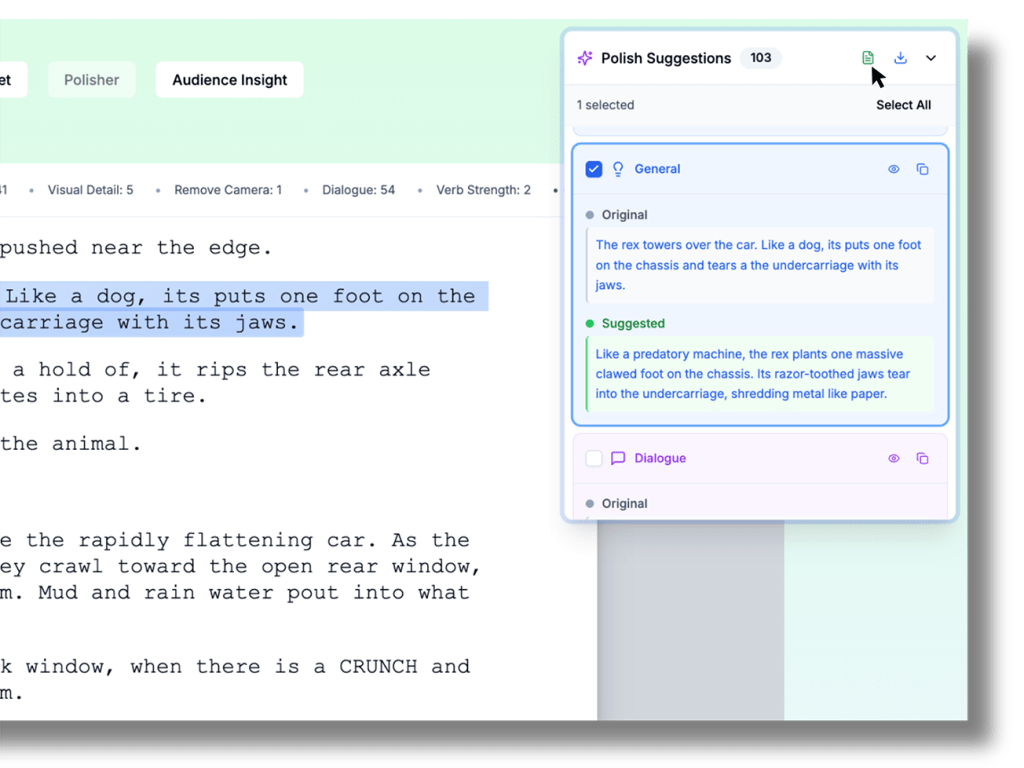
An interface of the Greenlight Coverage Polisher tool showing an AI-powered screenplay editing workspace. The screen displays a script for "Jurassic Park" with specific scene descriptions highlighted in blue. A sidebar labeled "Polish Suggestions" shows a comparison between the "Original" text—describing a T-Rex's actions—and a "Suggested" rewrite that uses more evocative and cinematic language.
  1. Activate Polisher
    Polisher scans your script, focusing on action lines and dialogue.
  2. Get Targeted Suggestions
    It highlights moments that could be more concise, vivid, or clear—and offers suggested revisions that preserve your intent and tone.
  3. Use your Judgement as a Writer
    Accept or delete each suggestion individually. Nothing changes unless you want it to.

Export your Polished Script
Download your polished script as a PDF or FDX, with your approved changes seamlessly applied.

How It Works

  1. Activate Polisher
    Polisher scans your script, focusing on action lines and dialogue.
  2. Get Targeted Suggestions
    It highlights moments that could be more concise, vivid, or clear—and offers suggested revisions that preserve your intent and tone.
  3. Use your Judgement as a Writer
    Accept or delete each suggestion individually. Nothing changes unless you want it to.

Export your Polished Script
Download your polished script as a PDF or FDX, with your approved changes seamlessly applied.

An interface of the Greenlight Coverage Polisher tool showing an AI-powered screenplay editing workspace. The screen displays a script for "Jurassic Park" with specific scene descriptions highlighted in blue. A sidebar labeled "Polish Suggestions" shows a comparison between the "Original" text—describing a T-Rex's actions—and a "Suggested" rewrite that uses more evocative and cinematic language.
Scroll to Top