 Skip to content

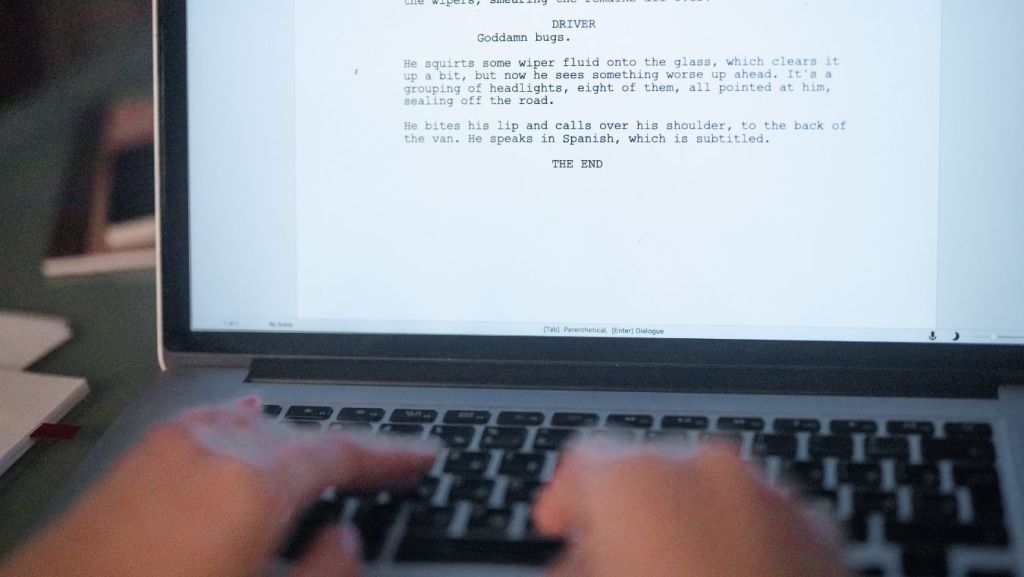
Choosing your first screenwriting tool can feel overwhelming, but the right software automates strict screenplay formatting so you can focus entirely on storytelling.
According to market research from Fortune Business Insights, the global screen and script writing software market was valued at USD 260.79 million in 2026 and is projected to reach USD 1,012.63 million by 2034, growing at a compound annual growth rate (CAGR) of 18.48 percent. This rapid expansion highlights a clear reality for aspiring screenwriters: script writing software for new writers has never been more powerful, accessible, or affordable. Furthermore, deployment data indicates that cloud-based screenwriting software dominated the market with approximately a 54.28 percent revenue share in 2025 (SNS Insider). For beginners, cloud-based tools eliminate manual saving risks, allow seamless access across devices, and remove technical barriers to entry.
This guide is for you if…
- You have never used dedicated screenwriting software before
- You want a screenplay formatting software that handles layout automatically while you focus on your story
- You are looking for an affordable (or free) script writing app to craft your first screenplay
These seven tools were chosen for how quickly a first-time writer can get a properly formatted page out of them, not for raw feature count.
Key Takeaways
- Arc Studio Pro ranks as the top overall pick for beginner screenwriting tools thanks to its generous free plan, distraction-free interface, and seamless auto-formatting screenplay software engine.
- WriterDuet is the premier collaborative screenwriting tool if you plan to co-write scripts in real-time with a writing partner across browser, desktop, or mobile devices.
- High-quality screenwriting software free options like Trelby, Celtx, and Arc Studio Pro ensure that budget is never a barrier to completing your first draft.
- Selecting your software is only step one of your journey; obtaining professional feedback on your completed draft is the essential second step before industry submission.
Best Screenwriting Software for Beginners: Quick Comparison Table
The seven beginner screenwriting tools evaluated below split primarily on pricing structure, supported operating platforms, and whether real-time collaboration features are built-in.
| Tool | Best For | Price | Platform | Free Plan? | Auto-Formatting | Collaboration |
|---|---|---|---|---|---|---|
| Arc Studio Pro | Overall Beginner Experience | Free / 69–99/yr | Web, macOS, Windows, iOS | Yes | Yes | Yes |
| WriterDuet | Real-Time Co-Writing | Free / 9.99–13.99/mo | Web, macOS, Windows, iOS, Android | Yes | Yes | Yes |
| Celtx | Browser-Based All-in-One | Paid plans from ~$13.50/mo | Web, iOS, Android | Limited Trial | Yes | Yes |
| Highland 2 | Mac Minimalists & Plain Text | Free / $49.99 (Basic Pro) | macOS | Yes | Yes | Limited |
| Fade In | Full-Featured Final Draft Alternative | $79.95 (One-time purchase) | macOS, Windows, Linux, Mobile | Free Demo | Yes | Yes |
| Trelby | Offline Open-Source Writing | Free (Open Source) | Windows, Linux | Yes | Yes | No |
| Final Draft | Industry-Standard Requirements | $199.99 - $249.99 (One-time) | macOS, Windows, iOS | Free Trial | Yes | Yes |
Note: Pricing and plan features should be confirmed directly on each vendor’s official website prior to purchase.
7 Best Screenwriting Software for Beginners
These seven script writing applications were evaluated specifically for beginner accessibility, intuitive user design, auto-formatting capabilities, and learning curve rather than raw technical feature count.
1. Arc Studio Pro
Arc Studio Pro is a modern cloud-based screenwriting software application designed to provide first-time writers with an intuitive auto-formatting editor, visual beat-board outlining, and seamless collaboration features.
Arc Studio Pro offers an exceptionally polished, distraction-free environment tailored to the needs of modern screenwriters. By combining an intuitive visual beat board with a responsive script editor, it bridges the gap between story planning and actual writing. Its browser and desktop applications keep your work synced instantly in the cloud while retaining full offline access.
Key Features
- Auto-Formatting Engine: Automatically converts elements like character names, parentheticals, and dialogue using simple keyboard shortcuts like Tab and Enter.
- Visual Beat Board & Outlining: Helps writers structure plot beats and scenes visually before drafting the screenplay pages.
- Real-Time Collaboration: Allows co-writers to edit scripts together simultaneously with clear color-coded indicators.
- Cloud Sync & Offline Access: Ensures script revisions auto-save instantly online while letting you write uninterrupted when offline.
- Revision Tracking: Tracks edits automatically, making it easy to review historical changes or restore earlier drafts.
- Pros:
- Clean, distraction-free interface ideal for new writers.
- Robust free plan featuring complete script formatting functionality.
- Smooth syncing across browser, desktop, and mobile platforms.
- Cons:
- Advanced custom production tools require a paid subscription.
- Customization options for formatting tweaks are deliberate and minimal.
- Community Signal: Widely praised by emerging screenwriters on forums and Reddit for having the modern feel of Notion combined with industry-standard script formatting.
- Best For: Beginners looking for the best free screenwriting software experience with modern design and cloud backup.
2. WriterDuet
WriterDuet is a powerful collaborative screenwriting tool engineered specifically for writers who need robust real-time co-writing functionality, auto-formatting, and cross-platform flexibility across any device.
Built from the ground up for seamless teamwork, WriterDuet eliminates the hassle of passing file versions back and forth between writing partners. It offers deep revision tracking, customizable page layouts, and instant syncing across web browsers, desktop applications, and mobile apps.
Key Features
- Real-Time Co-Writing: Enables multiple writers to work on the exact same script document simultaneously without editing conflicts.
- Automated Cloud Backups: Auto-saves every stroke to cloud storage and integrates with Google Drive, Dropbox, and iCloud.
- Cross-Platform Access: Operates seamlessly inside web browsers, macOS, Windows, iOS, and Android applications.
- Comprehensive Revision History: Allows users to review, tag, and compare script revisions down to individual writer edits.
- ScreenplayProof AI / Analysis Tools: Integrates automated script analysis modules to check formatting, consistency, and dialogue flow.
- Pros:
- Unrivaled real-time collaboration features for co-writing teams.
- Access your screenplays from virtually any internet-connected device.
- Powerful revision tracking and draft comparison tools.
- Cons:
- Interface can feel feature-dense and slightly intimidating for absolute beginners.
- The free plan limits users to three active script projects.
- Community Signal: Consistently rated by film students and writing teams as the premier script writing software for remote multi-author projects.
- Best For: Writing partnerships and teams looking for a collaborative screenwriting tool with cloud access.
3. Celtx
Celtx is a web-based script writing app that provides beginners with automatic screenplay formatting along with integrated pre-production planning tools directly inside their web browser.
As one of the pioneers in web-based screenwriting tools for beginners, Celtx provides an all-in-one ecosystem for writers, student filmmakers, and production crews. Beyond script formatting, it features storyboarding capabilities, script breakdown tools, and character profile modules to support the journey from script to screen.
Key Features
- Browser-Based Editor: Requires no software download or installation, allowing instant writing from any computer.
- Automatic Screenplay Formatting: Handles standard margins, line spacing, page breaks, and element transitions automatically.
- Pre-Production Suite: Includes tools for script breakdowns, shot lists, and scheduling on higher-tier plans.
- Storyboarding Integration: Visualizes scenes alongside dialogue to plan camera setups and visual beats.
- Media & Resource Library: Stores character bios, location notes, and project assets alongside the main script document.
- Pros:
- Zero setup required—start writing immediately from any web browser.
- Comprehensive pre-production tools for writers who plan to direct or produce.
- Integrated storyboarding and planning modules.
- Cons:
- Pricing can be higher over time compared to standalone single-purchase desktop tools.
- Requires active online connectivity for full project feature access.
- Community Signal: Frequently utilized in film school media courses as an accessible entry point for learning script formatting and pre-production workflows.
- Best For: Aspiring filmmakers who want screenplay formatting software paired with media production and planning tools.
4. Highland 2
Highland 2 is a streamlined macOS screenwriting app that uses plain-text Fountain markup to deliver a fast, distraction-free environment for Mac users.
Co-created by veteran screenwriter John August, Highland 2 was developed around the philosophy that formatting rules shouldn’t interrupt writing flow. By leveraging the open-source Fountain plain-text syntax, Highland 2 lets you type naturally while automatically generating a perfectly formatted industry-standard PDF script on demand.
Key Features
- Fountain Markup Support: Uses clean plain text syntax so you never have to pause writing to adjust formatting controls.
- Distraction-Free Interface: Features customizable dark modes, clean typography, and a minimal layout.
- Sprint Mode: Incorporates built-in timers and writing goal trackers to encourage daily output.
- Standard PDF Export: Automatically compiles plain text into pixel-perfect industry-standard script format PDFs.
- Pros:
- Exceptionally fast, lightweight, and clutter-free interface.
- One-time purchase model for the Pro upgrade instead of recurring subscriptions.
- Native integration with Fountain plain-text files ensures long-term data ownership.
- Cons:
- Exclusive to macOS; unavailable on Windows, Linux, or Android devices.
- Lacks real-time multiplayer co-writing tools.
- Community Signal: Highly recommended by professional screenwriters and novelists who appreciate minimalist Mac applications and plain-text workflows.
- Best For: Mac users who prefer plain-text writing, distraction-free interfaces, and single-purchase software.
5. Fade In
Fade In is a professional screenwriting software package that provides industry-standard formatting, wide cross-platform support, and near-parity with Final Draft at a fraction of the cost.
Fade In has gained widespread adoption among professional screenwriters and indie filmmakers alike. It supports Windows, macOS, Linux, iOS, and Android while maintaining full compatibility with industry-standard .fdx files, offering advanced revision management and custom page layouts without high software costs.
Key Features
- Industry-Standard Formatting: Delivers exact page layout, margins, and element handling required by major Hollywood studios.
- Cross-Platform Compatibility: Runs natively across macOS, Windows, Linux, iOS, and Android devices.
- Full File Import/Export: Smoothly opens and saves Final Draft (.fdx), PDF, Fountain, and Rich Text files.
- Advanced Revision Control: Manages colored production pages, script revisions, and scene modifications effortlessly.
- Pros:
- Affordable one-time fee with free lifetime software updates.
- Native cross-platform performance, including Linux support.
- Full file compatibility with industry-standard Final Draft formats.
- Cons:
- User interface focuses strictly on function over modern aesthetic polish.
- Cloud sync relies on external services like Dropbox or Google Drive.
- Community Signal: Praised extensively across screenwriting communities as the most cost-effective alternative to Final Draft for serious writers.
- Best For: Writers who want a robust, non-subscription Final Draft alternative with full cross-platform desktop support.
6. Trelby
Trelby is a completely free, open-source script writing software designed for Windows and Linux users who want a simple, offline application without account registrations or paywalls.
Trelby provides a lightweight alternative for writers who prefer offline desktop tools over cloud-based browser apps. It focuses squarely on the essentials: fast auto-formatting screenplay software mechanics, character name databases, script reports, and clean PDF generation.
Key Features
- 100% Free & Open Source: Free to download and use indefinitely without ads, subscriptions, or account requirements.
- Automated Screenplay Formatting: Enforces standard margins, auto-completes names, and formats script elements via tab keys.
- Built-in Reports: Generates character, location, and scene reports to help track script element frequency.
- PDF & HTML Export: Exports scripts to industry-standard PDF, HTML, or formatted text formats.
- Pros:
- Completely free with zero financial cost or subscription requirements.
- Operates fully offline without requiring an internet connection or cloud account.
- Extremely fast execution with minimal computer system resource usage.
- Cons:
- Operating platform support is limited to Windows and Linux (no native macOS release).
- Software development and feature updates are infrequent.
- Community Signal: Valued by open-source enthusiasts and budget-conscious writers who insist on complete privacy and offline application access.
- Best For: Writers seeking a free script writing app for offline Windows or Linux use with zero setup hassle.
7. Final Draft
Final Draft is the undisputed industry-standard script writing software used by major studios, production companies, and professional screenwriters globally.
For over two decades, Final Draft has set the formatting and file standard for the entertainment industry. While it represents a higher financial investment for beginners, it includes advanced story tools like the Beat Board, SmartType auto-completion, and full production reporting features required by Hollywood studios.
Key Features
- SmartType Auto-Completion: Remembers character names, scene locations, and script transitions to speed up typing.
- Beat Board & Story Map: Provides visual planning environments for plotting scene arcs and story beats directly alongside script pages.
- Real-Time Collaboration: Supports remote co-writing sessions across script documents and visual beat boards.
- Production Reporting: Generates breakdown reports for cast, locations, props, and scene counts used during filming.
- Industry-Standard .FDX Format: Ensures total compatibility when submitting files to agents, managers, and studios.
- Pros:
- The definitive file format standard required across Hollywood and global entertainment industries.
- Comprehensive suite of outlining, writing, and production breakdown features.
- Reliable real-time collaboration and script version management.
- Cons:
- Higher upfront financial cost compared to alternative beginner screenwriting tools.
- Can feel overly complex for new writers crafting their very first script draft.
- Community Signal: Recognized across film festivals, screenwriting competitions, and studio networks as the benchmark software for script submission.
- Best For: Writers committed to long-term screenwriting careers who want to master the official industry standard from day one.
How We Evaluated Screenwriting Software: Our Criteria
Our evaluation examined over 15 screenwriting applications across six key criteria specifically weighted for beginner writers. We prioritized beginner-friendliness to ensure new writers can start drafting within minutes without spending hours reading user manuals. Auto-formatting quality was heavily weighted, checking how reliably each tool enforces industry margins, font specs, and key commands. We assessed price and free options to confirm that budget limitations never prevent an aspiring writer from completing a script.
Cross-platform availability was evaluated to ensure compatibility across macOS, Windows, Linux, and mobile web browsers. We tested collaboration tools for real-time co-writing functionality and version tracking capabilities. Finally, export and compatibility features were analyzed to guarantee seamless PDF creation and .fdx file interchange for studio submission.
Which Screenwriting Software is Right for You?
Selecting your ideal screenwriting tool comes down to your budget, preferred operating system, and whether you plan to write solo or co-write with a partner.
| If You Are... | Your Top Priority Is... | Start With… |
|---|---|---|
| A total beginner with no budget | A clean, auto-formatting editor on a free plan | Arc Studio Pro |
| Co-writing with a partner | Seamless real-time cloud collaboration | WriterDuet |
| A Mac user who loves minimalism | Distraction-free writing with plain-text markup | Highland 2 |
| Ready to invest in the industry standard | Mastering the software used by professional studios | Final Draft |
| A student or indie filmmaker on a budget | Desktop compatibility with a low one-time cost | Fade In |
Choosing your software tool is step one of your journey; once you have selected your program and completed your first draft, the vital next step is getting professional feedback to refine your story structure.
Frequently Asked Questions
What is the best free screenwriting software for beginners?
Arc Studio Pro and Celtx are two of the strongest free options available for beginners. Arc Studio Pro delivers a clean interface with automatic script formatting on its free tier, while Celtx allows web-based writing directly in your browser without downloading files. For offline desktop use without creating accounts, Trelby provides a fully free open-source alternative.
Do I need screenwriting software to write a screenplay?
While you can technically write a script in standard word processors, dedicated screenwriting software saves significant time and prevents formatting errors. Screenplays must adhere to strict rules regarding scene headings, margins, character names, and dialogue placement. Dedicated tools automate these layout rules instantly so you can focus entirely on storytelling.
Is Final Draft worth it for a beginner?
Final Draft is worth the investment if you are committed to a long-term screenwriting career and want to master the software used across major studios. However, absolute beginners can easily write, format, and export professional-grade screenplays using free or lower-cost tools like Arc Studio Pro or WriterDuet while learning the craft.
Can I write a screenplay on my phone or tablet?
Yes, you can write screenplays on mobile devices using cloud-based platforms. WriterDuet, Arc Studio Pro, and Celtx offer mobile apps or responsive web browser interfaces that sync your work automatically across devices. However, most screenwriters still prefer a laptop or desktop computer for extended drafting sessions.
How did you evaluate and choose these tools?
We evaluated over 15 screenwriting software tools across six core criteria: beginner-friendliness, auto-formatting accuracy, pricing models, cross-platform support, collaboration capabilities, and file export options. Pricing and features were verified against official vendor documentation to ensure accurate comparisons for new writers.
What should I do after I finish my first screenplay?
After completing your first draft, the next step is obtaining objective professional feedback before submitting your work to contests, agents, or producers. Screenwriting software handles page formatting, but professional coverage assesses whether your plot, pacing, dialogue, and character arcs succeed. Using an automated coverage tool like Greenlight Coverage helps you identify weaknesses quickly.
Your Script is Written, Now Get It Read with Greenlight Coverage
Choosing your screenwriting software is the critical first step in your writing journey, but software only handles formatting—it cannot evaluate story quality. Once your first draft is formatted and finished, you need objective analysis to discover whether your plot structure, character development, and dialogue resonate with readers.
Trusted by over 40,000 screenwriters and producers, Greenlight Coverage provides instant, industry-grade script analysis in as little as 15 to 60 minutes. Get a free summary snapshot upon your first upload to pinpoint structural weaknesses and elevate your draft to studio standards before submitting to agencies or competitions.